Free toolsfor invoices, VAT and PDF
Calculators, validators and converters that run in your browser. Your files and your data never leave your computer.
From the receipt photo to Excel
Drop photos or PDFs and get an Excel with one line per document: date, supplier, tax ID, base, VAT and total. It flags what is worth reviewing.
20 free readings · No sign-up · All in your browser
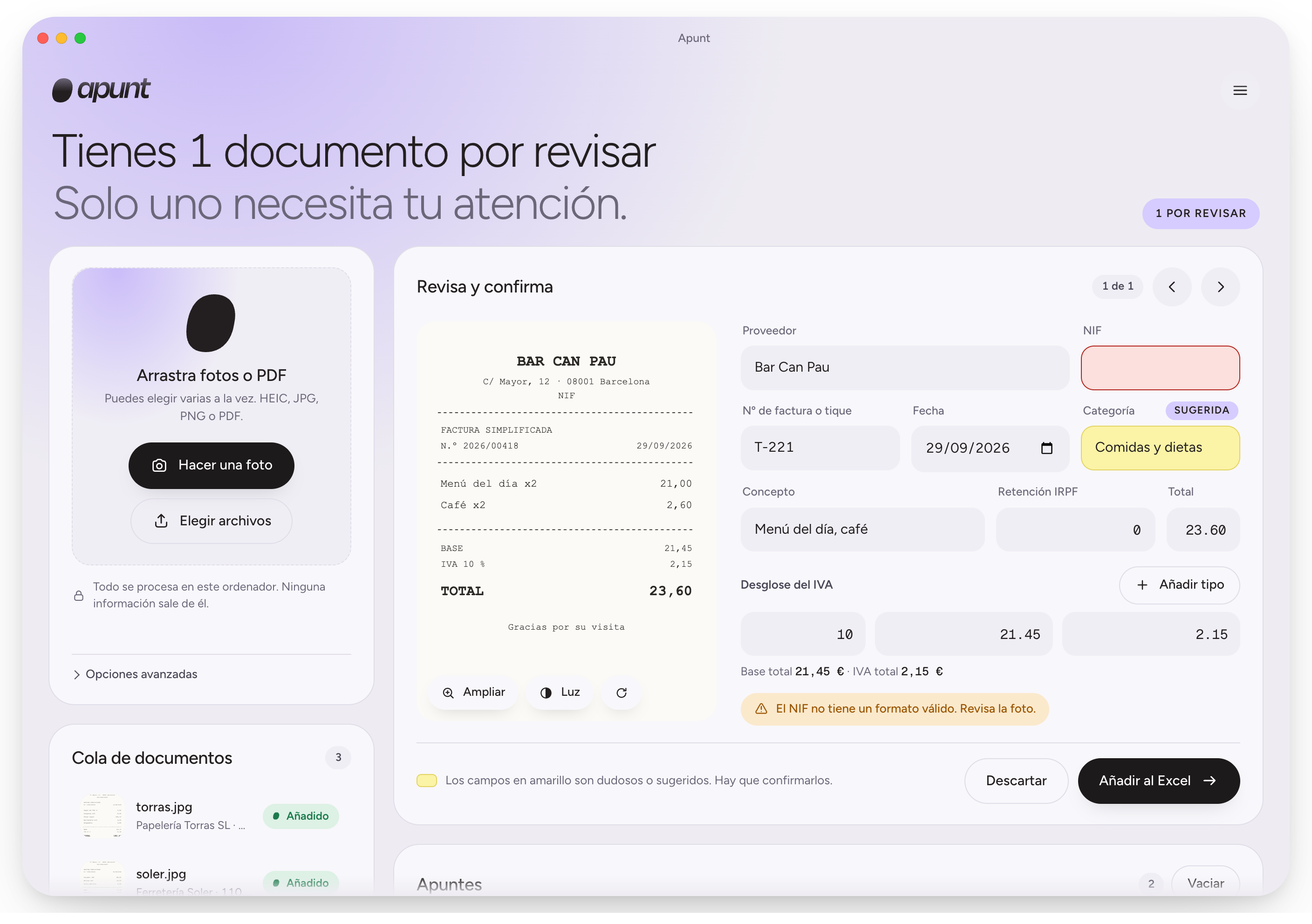
Small tools for working with invoices
Calculators and utilities that run in your browser, with nothing uploaded.
Three steps, no typing
From a pile of receipts to a file ready for your accounting software.
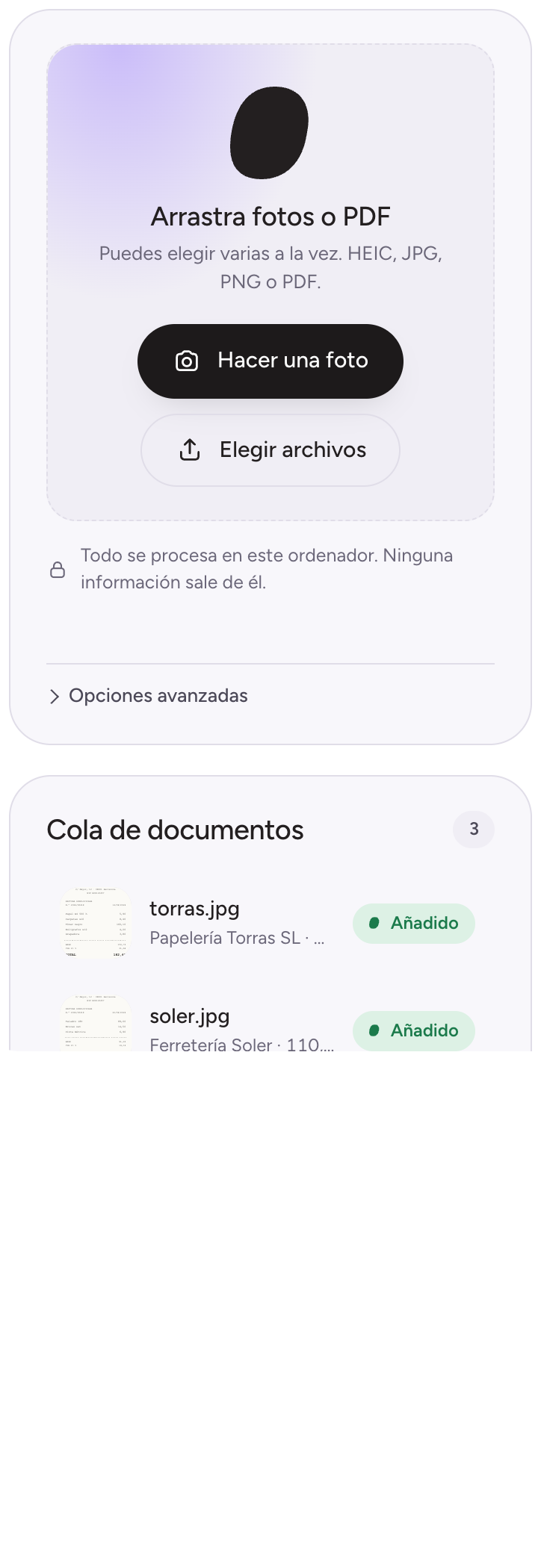
Drop your documents
Phone photos, as many as you like at once. Apunt reads them in your browser without uploading them anywhere.
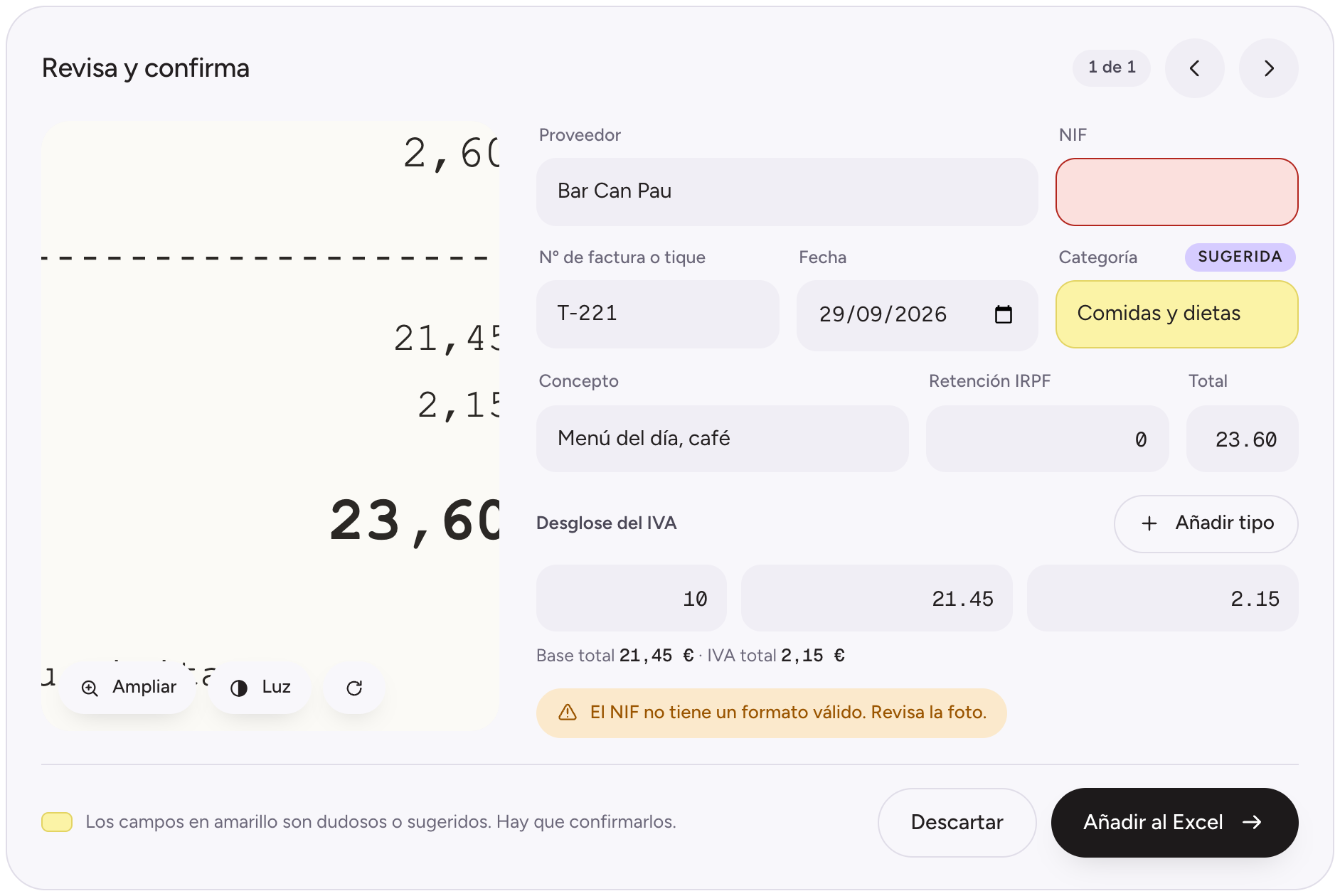
Check what’s doubtful
Anything unclear is marked in yellow. Hover over the photo and it zooms in so you can check at a glance.
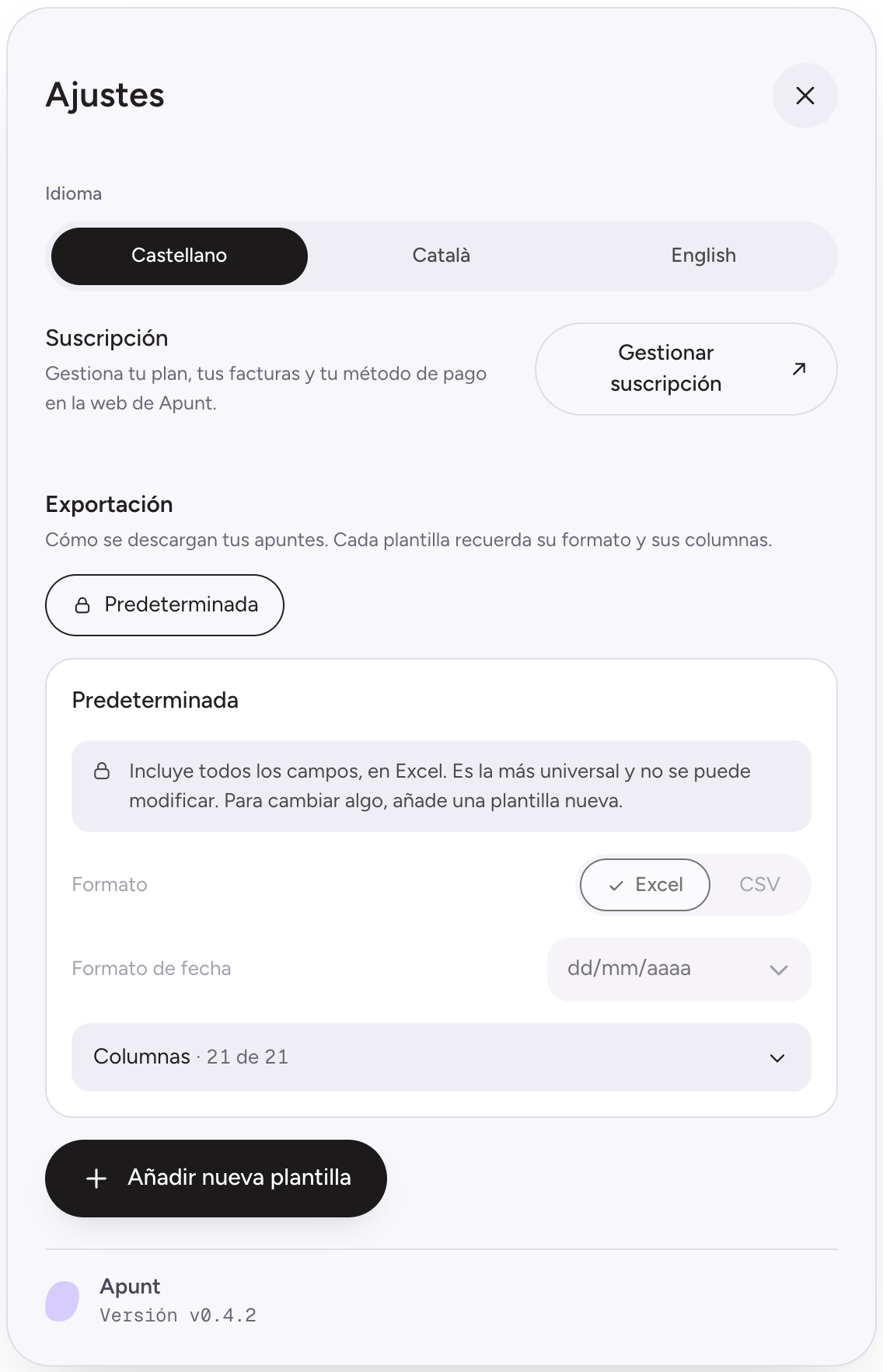
Download the Excel
An Excel or CSV with one line per document, with the columns and format your software asks for.
Your documents stay on your computer.
Apunt doesn’t upload your photos or data to any server to read them. Reading happens in your browser, on your own computer.
- Nada se sube a la nube
- La lectura se hace en tu navegador
- Los archivos los guardas tú, donde quieras
Made for the way an accounting firm works
Fewer hours typing, more time to check what matters.
Export templates
Choose columns, names, order, format (Excel or CSV), separator, decimals and encoding. Set up your software’s format once and reuse it.
Doubtful first
Warns when base + VAT − withholding doesn’t add up, when a tax ID isn’t valid or when the same invoice already exists.
Several VAT rates
Breaks each document down by rate (0, 4, 10 and 21 %) into separate columns.
Remembers your suppliers
Learns each supplier’s name and category from its tax ID and suggests them next time.
In Spanish, Catalan and English
The tool and the Excel column names switch language with you.
Phone photos, as they are
Accepts iPhone photos (HEIC), JPG and PNG, even if they’re rotated.
Are you self-employed?
Snap each receipt during the month and hand your accountant a single Excel, no typing. If they already use Apunt, even better: it arrives in the format they need.
Start for free
20 free readings, no sign-up.
Free
- En tu navegador, sin instalar nada
- Excel o CSV con tus plantillas
- Tus fotos no salen de tu ordenador
Need more?
If you read lots of documents or work at an accounting firm, tell us what you need and we’ll look into it.
Write to usFrequently asked questions
Does any data leave my computer?
No. Photos and data are processed on your machine and never sent to a server. This website only counts visits and readings as daily totals, without storing your documents or your IP; if you write to us, we receive your message.
Does it work offline?
Reading sends nothing to the internet. The first time, your browser downloads the reader (about 30 MB) and then reuses it.
Does it read every receipt correctly?
The sharper the photo, the better. When something isn’t clear, Apunt marks it yellow so you can confirm it: you always review, but only what matters.
Does it replace my accounting software?
No. Apunt prepares the data and you import it into your software. It doesn’t store your accounts.
Which software does it work with?
With anything that can import an Excel or CSV file. You create a template with the columns and format it asks for, and reuse it every time.
How many readings are free?
Twenty documents, no sign-up. There’s also a monthly cap per internet connection (IP address), shared by the computers in one office. When they run out, write to us and we’ll go through the options.
Is there a desktop version?
Not yet. We’re looking into one for accounting firms that read large volumes. Write to us if you’re interested.
Start with this month’s receipts.
Open the tool, drop in your photos and see your first Excel.